KOMMANDO over at Komstation is building a brilliant tool called KOMMANDER SHELL + OVERLAY. It's great, check out the link to it's article at the bottom.
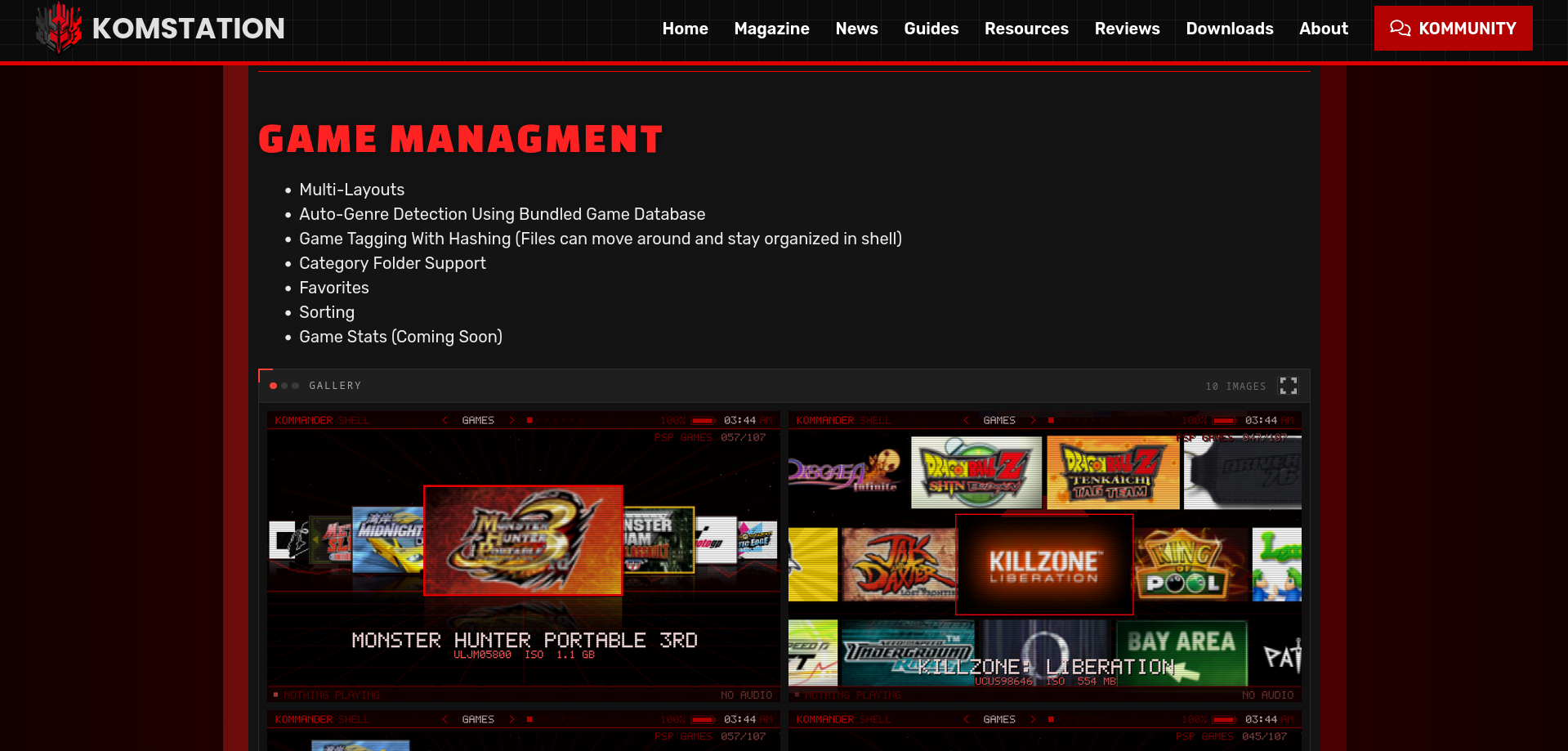
However we want to integrate by Bluetooth work into the UI for the shell. In order to do this ive built a little test harness. Until i can get real hardware out to test with we need something that can emulate connected controllers.
This will allow testing of parts of the UI such as listing connected controllers, disconnecting them and displaying battery level's etc.
So i thought id share how i did this and how i imported it in a little application to test myself (test the tests) before sending it out.
This is from my limited understanding of the topic. It's primary use is to job my memory and remind myself what ive done. Please don't take this as the correct way to do it.
The Test Harness
First things first we need some code. For the sake of this lets just pretend we have a couple of methods. One returns if im currently a teapot and another sets if i am.
It's header may look like this:
#pragma once

#include <stdint.h>

#define CONTROLLER_TYPE_None  -1
#define CONTROLLER_TYPE_Unknown  0

#define CONTROLLER_TYPE_UnknownSteamController  1
#define CONTROLLER_TYPE_SteamController  2
#define CONTROLLER_TYPE_SteamControllerV2  3
#define CONTROLLER_TYPE_UnknownNonSteamController  30
#define CONTROLLER_TYPE_XBox360Controller  31
#define CONTROLLER_TYPE_XBoxOneController  32
#define CONTROLLER_TYPE_PS3Controller  33
#define CONTROLLER_TYPE_PS4Controller  34
#define CONTROLLER_TYPE_WiiController  35
#define CONTROLLER_TYPE_AppleController  36
#define CONTROLLER_TYPE_AndroidController  37
#define CONTROLLER_TYPE_SwitchProController  38
#define CONTROLLER_TYPE_SwitchJoyConLeft  39
#define CONTROLLER_TYPE_SwitchJoyConRight  40
#define CONTROLLER_TYPE_SwitchJoyConPair  41
#define CONTROLLER_TYPE_SwitchInputOnlyController  42
#define CONTROLLER_TYPE_MobileTouch  43
#define CONTROLLER_TYPE_PS5Controller 45

typedef struct {
    // value of `CONTROLLER_TYPE_XYZ`
    uint8_t controllerModel;
    // 0 - 255. 0 means battery level unknown
    uint8_t batteryLevel;
    uint8_t connected;
} ControllerInfo;

// Will enable or disable new controller connections
extern void btCtrDriver_EnableNewConnections(uint8_t enable);
// Returns if new conenctions are currently enabled
extern uint8_t btCtrDriver_NewConnectionsEnabled();
// Returns controller information for the specified index
extern ControllerInfo btCtrDriver_GetControllerInfo(uint8_t controllerIndex);
// Returns if the BTBoard is connected
extern uint8_t btCtrDriver_Connected();
// Will disconnect the controller at the given index
extern void btCtrDriver_DisconnectController(uint8_t controllerIndex);
and it's implementation:
#include <pspkernel.h>
#include <pspdisplay.h>
#include <pspdebug.h>
#include <pspctrl.h>
#include <stdio.h>
#include <stdlib.h>
#include <string.h>

#include "btCtr.h"

#define MODULE_NAME "bt_ctr_driver"
#define MAJOR_VER 1
#define MINOR_VER 1

#define MODULE_OK       0
#define MODULE_ERROR    1

uint8_t connectionsEnabled = 5;
uint8_t boardConnected = 5;
ControllerInfo liveControllers[4] = {
    { CONTROLLER_TYPE_XBox360Controller, 5, 5 },
    { CONTROLLER_TYPE_XBox360Controller, 5, 5 },
    { CONTROLLER_TYPE_XBox360Controller, 5, 5 },
    { CONTROLLER_TYPE_XBox360Controller, 5, 5 }
};

// TODO - review all this setup, dont fully understand it all ad overlay plugin is different.
PSP_MODULE_INFO(MODULE_NAME, PSP_MODULE_KERNEL, MAJOR_VER, MINOR_VER);

// We don't allocate any heap memory, so set this to 0.
PSP_HEAP_SIZE_KB(0);

// We don't need a main thread since we only do basic setup during module start and won't stall module loading.
// This will make us be called from the module loader thread directly, instead of a secondary kernel thread.
PSP_NO_CREATE_MAIN_THREAD();

// We don't need any of the newlib features since we're not calling into stdio or stdlib etc
PSP_DISABLE_NEWLIB();

int load_config(void)
{
    return 1;
}

int module_start(SceSize args, void *argp)
{
  sceKernelDelayThread(1000);
  load_config();
  return 0;
}

// Called during module deinit
int module_stop(SceSize args, void *argp)
{
    return MODULE_OK;
}
void _exit(int x)
{
}
/* Public interface */

// Will enable or disable new controller connections
void btCtrDriver_EnableNewConnections(uint8_t enable)
{
    connectionsEnabled = enable;
}

// Returns if new conenctions are currently enabled
uint8_t btCtrDriver_NewConnectionsEnabled()
{
    return connectionsEnabled;
}

// Returns controller information for the specified index
ControllerInfo btCtrDriver_GetControllerInfo(uint8_t controllerIndex)
{
    if (controllerIndex > 4)
        return liveControllers[0];

    return liveControllers[controllerIndex];
}

// Returns if the BTBoard is connected
uint8_t btCtrDriver_Connected()
{
    return boardConnected;
}

// Will disconnect the controller at the given index
void btCtrDriver_DisconnectController(uint8_t controllerIndex)
{
    if (controllerIndex > 4)
        return;

    liveControllers[controllerIndex].controllerModel = CONTROLLER_TYPE_None;
    liveControllers[controllerIndex].batteryLevel = 0;
    liveControllers[controllerIndex].connected = 0;
}
With that done the next job is to expose those methods. We need to make them public so that someone else can pull our plugin and import those methods.
That is done with a exports.exp and may look like this:
# Define the exports for the prx
PSP_BEGIN_EXPORTS

# These four lines are mandatory (although you can add other functions like module_stop)
# syslib is a psynonym for the single mandatory export.
PSP_EXPORT_START(syslib, 0, 0x8000)
PSP_EXPORT_FUNC(module_start)
PSP_EXPORT_FUNC(module_stop)
PSP_EXPORT_VAR(module_info)
PSP_EXPORT_END

PSP_EXPORT_START(im_a_teapot, 0, 0x4001)
PSP_EXPORT_FUNC(btCtrDriver_EnableNewConnections)
PSP_EXPORT_FUNC(btCtrDriver_NewConnectionsEnabled)
PSP_EXPORT_FUNC(btCtrDriver_GetControllerInfo)
PSP_EXPORT_FUNC(btCtrDriver_Connected)
PSP_EXPORT_FUNC(btCtrDriver_DisconnectController)

PSP_EXPORT_END

PSP_END_EXPORTS
The last thing we need to setup out Makefile to include the exports and generate a bt_ctr_driver.S.
I'm not entirely sure what a .S file is, i think its assembly. But what it's doing in this context im still not sure.
TARGET = bt_ctr_driver

OBJS = main.o exports.o

BUILD_PRX = 1
PRX_EXPORTS = exports.exp

INCDIR =
CFLAGS = -Os -G0 -Wall -fno-builtin-printf
CXXFLAGS = $(CFLAGS) -fno-exceptions -fno-rtti
ASFLAGS = $(CFLAGS)

LIBS =

LDFLAGS = -nostartfiles

PSPSDK=$(shell psp-config --pspsdk-path)
include $(PSPSDK)/lib/build_prx.mak

all:
	psp-build-exports -s $(PRX_EXPORTS)
The key is the psp-build-exports -s $(PRX_EXPORTS) which generate the .S file from the exports.exp;
Now when compiled we have everything we need.
- bt_ctr_driver.prx
- bt_ctr_driver.S
- header file
Testing the Test Harness
To test it i needed a test application i could import the file and load up my plugin.
I had the Input tester from OPDitto cloned locally so i just modified that (im lazy).
The main moving parts are to include the .S in the test harness's Makefile
TARGET = opditto_input_test
OBJS = main.o bt_ctr_driver.o
Next was to import the PRX.
  kuKernelLoadModule("ms0:/SEPLUGINS/bt_ctr_driver.PRX", 0, NULL);
  sceKernelStartModule(loaded, 0, NULL, &status, NULL);
I don't actually if the plugin needs to be started, im doing config reading in the module_start and doubt that would be run if the module isn't, well, started.
With the module imported and running it's just a case of importing the header file and running the methods.
Links
- KOMMANDER SHELL + OVERLAY - https://www.komstation.com/downloads/kommander-shell-psp/
- OPDitto test app - https://github.com/Operation-DITTO/input-test-application